
Withdrawal Requirements and Steps
There are a few rules to know before withdrawing your balance. On this page you'll find the verification requirement, the payment-method rule, and the withdrawal steps.
Withdrawing at 1King works differently from depositing — a few extra conditions apply. Knowing them ahead of time helps your request get processed without delay.
Identity Verification (KYC) Requirement
A withdrawal request can only be created once your account is fully verified. Verification involves checking your identity documents and is known as KYC. Your withdrawal request won't be processed until this is complete.
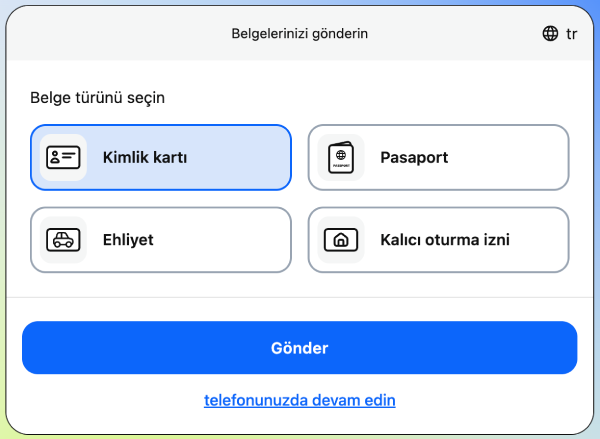
The documents usually requested are:
- A colour copy of your passport (first two pages, plus a residence stamp if you have one) or a colour copy of your national ID card.
- A driving licence copy, if requested.
- A utility bill as proof of address, if requested.
Your phone number also needs to be verified. In some cases, a video verification option is offered too — a video call with a specialist, with the call language confirmed in advance.
A few things can happen if you don't complete verification: bets can be cancelled, deposited funds can be withdrawn, or your account can be restricted. That's why it matters for your documents to be clear and readable.
Completing verification early speeds up your access to your winnings. You can upload your documents from your account panel.
The Payment-Method Rule for Withdrawals
You can only get your balance back through the method you used to deposit. If you deposited by bank card, your withdrawal goes to that same card. If you deposited by crypto, it goes to that same crypto wallet. There's no transfer to a different payment system or to someone else's account.
This connects directly to our one-account rule — since your account belongs only to you, your balance can only go to payment methods registered in your own name. Using a card or wallet that's genuinely yours when depositing avoids delays at the withdrawal stage.
Wagering Suggestion
Our support team recommends wagering at least 100% of a newly deposited amount before withdrawing it. This is a recommendation, not a rule enforced on every withdrawal. If you want clarity on the specific limits that apply to your account, you can check with our support team.
This suggestion mainly applies to balances you've deposited without using a bonus. If you're using a bonus, that bonus carries its own wagering requirement, shown on our welcome bonus page or when the bonus is credited.
Inactive Account Fee
If your account goes unused for 12 months, a monthly management fee starts being deducted 30 days after that. This fee only applies to accounts with a positive balance.
- If your balance is zero, no fee is deducted.
- The fee doesn't apply while you're using your account regularly.
- If you don't plan to log in for a while, withdrawing your balance ahead of time avoids this fee.
The fee only kicks in once the 12-month inactivity period is complete. It continues to be deducted monthly starting on day thirty.
How to Withdraw
Once verification is complete, you can create a withdrawal request in a few steps.
- Log in to your account.
- Open the withdrawal page from your account panel.
- Enter the amount you want to withdraw.
- Submit your request once your account is verified.
- Track your request's status from your account panel.
The last of these steps can't be completed without verification, so uploading your documents ahead of time speeds up the whole process.
If You Run Into a Problem
If you run into an issue with a withdrawal request, you can contact our support team free of charge within 6 months of the event. The right to complain belongs only to registered players — complaints filed on someone else's behalf aren't accepted.
If support can't resolve your request, you also have access to an independent dispute resolution service. Details of the complaints process are on our Terms and Conditions page.
About Processing Time
Our Help Centre doesn't state a fixed processing time for withdrawals. The one confirmed requirement is that your account needs to be fully verified. Your request can be created once that requirement is met, and you can track its status from your panel.
Frequently Asked Questions
Do I need to verify my account before withdrawing?
Yes. A withdrawal request can't be created until verification is complete.
Can I redirect my withdrawal to a different card or wallet?
No. Your balance only goes back to the method you used to deposit — there's no transfer to a different account.
Can I not withdraw at all if I haven't finished wagering?
The 100% wagering suggestion is a recommendation from our support team, not a mandatory general rule. For clarity on your specific situation, you can check with our support team.
What happens if I don't use my account for a long time?
After 12 months of inactivity, a monthly management fee starts being deducted from a positive balance 30 days later. No fee applies if your balance is zero.
How long does a withdrawal take?
No fixed time is stated. Your request is created and processed once your account is fully verified.
What should I do if I run into a problem with my withdrawal request?
You can file a free complaint with our support team within 6 months of the event. The right to complain belongs only to the registered account holder.
What are the minimum and maximum withdrawal amounts?
There's no fixed general figure published. The amount depends on your chosen payment method and is shown on your account's withdrawal page.
Is there an extra requirement before withdrawing bonus winnings?
Yes. Before withdrawing bonus-related winnings, you need to complete that bonus's specific wagering requirement, shown on the promotion page or when the bonus is credited.